
Home › Modules › Contract management
MANAGEMENTWhich rate applied back then? The system remembers.
Periods, automatic renewals, addenda, terminations and dated rate versions live on a single card — and this is what feeds the audit engine.
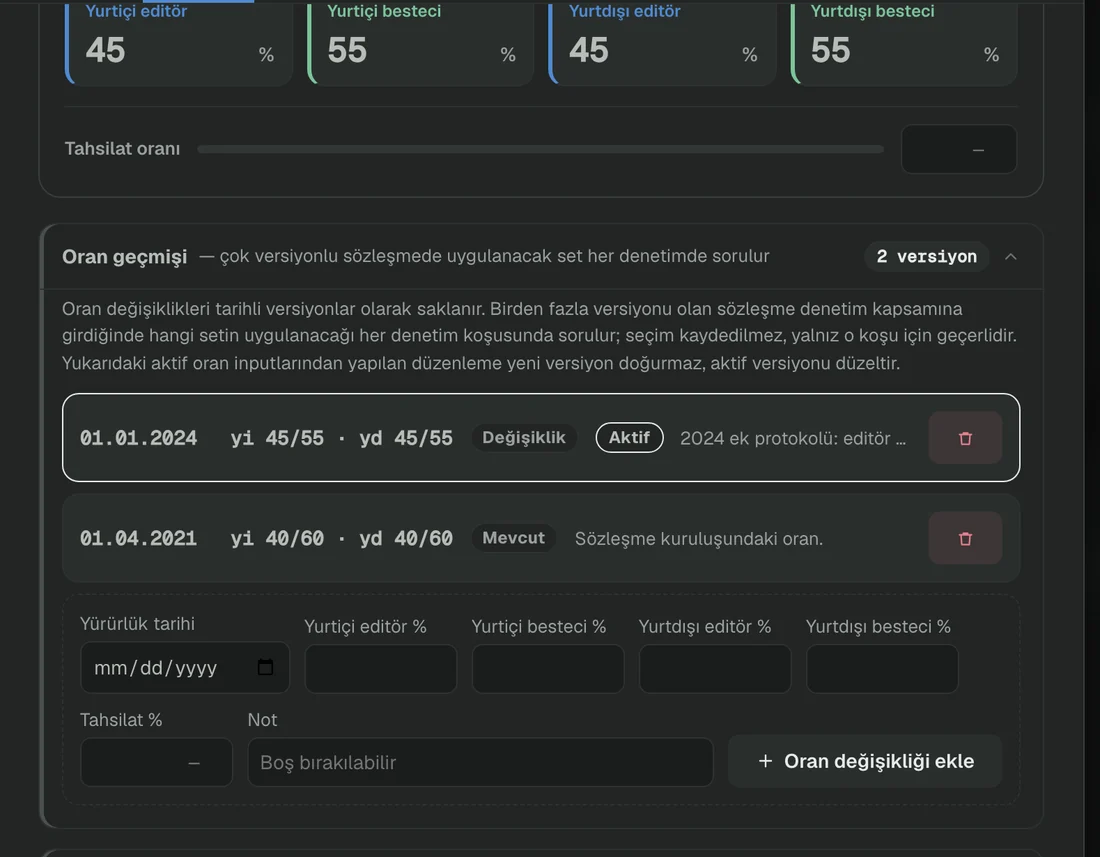
From a demo environment prepared with sample data. Click to enlarge.
The problem it solves
A contract changes over the years: the term extends, an addendum is signed, the rate is revised, sometimes a termination arrives. Having to remember which rate was in force three years ago while auditing that period is both exhausting and error-prone.
That is why the rate is not held as a single number on the contract but as dated versions. When an audit runs for a period, you are asked which version applies; the choice holds for that run only.
How it works
Enter the contract
Rights holder details, domestic and international rates, contact information and documents are gathered on one card.
Build the period chain
First term, addenda, automatic renewals and termination line up on a single timeline. Only one period is active at any moment.
Date the rate changes
Every rate revision is recorded with its effective date. Previous versions are not deleted; they stay in the archive.
Wait for the warning
As a period end approaches, the contract enters the warning list and appears on the timeline. Once you mark it as handled, it stops asking.
The period chain
Every stage of a contract sits on one line: the first term, the addendum that revised the rate, and the automatic renewal now in force. The audit engine reads which period a distribution falls into from here.
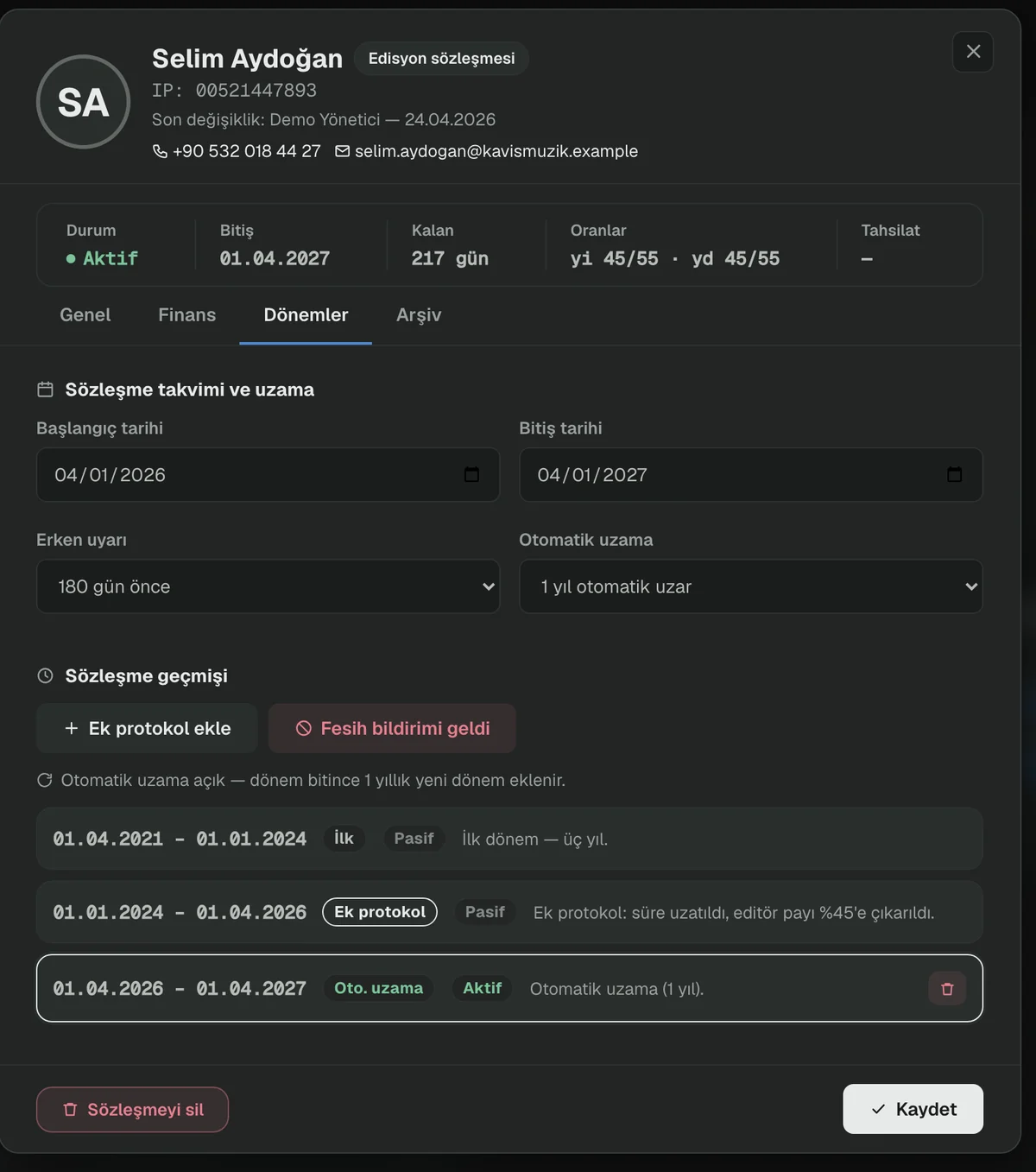
From a demo environment prepared with sample data. Click to enlarge.
Upcoming expiries
Contracts approaching their period end appear both as a warning band and on a twelve-month timeline. The point is not to be reminded on the last day.
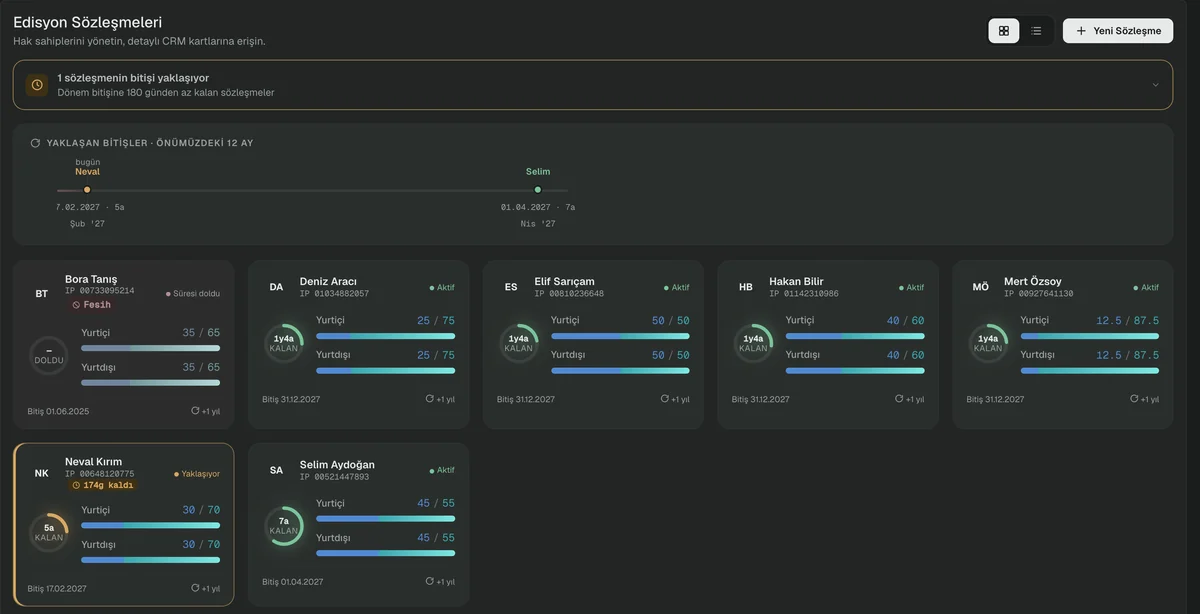
From a demo environment prepared with sample data. Click to enlarge.
Input and output
WHAT YOU PROVIDE
- Contract text and its annexes
- Period dates and renewal conditions
- Domestic and international share rates
- Rights holder contact details
WHAT YOU GET
- A dated rate set that feeds the audit engine
- Early warnings for period expiry
- Contract history and archive
- Work list and stakeholder details
What it does not do
Knowing the limits of a tool matters as much as knowing its capabilities.
- It does not create contracts, draft them or collect signatures — it manages the contracts you already have.
- Detailed share breakdowns and sync-licence rates are stored for reference only; they do not enter the audit calculation.
See contract management on a live system.
In a half-hour call we can run it on your own catalogue.