
Raw distribution data becomes readable.
The pile of lines arriving from a collecting society turns into a dataset you can filter, search and export by period, work, artist and channel. Three views answer three different questions.
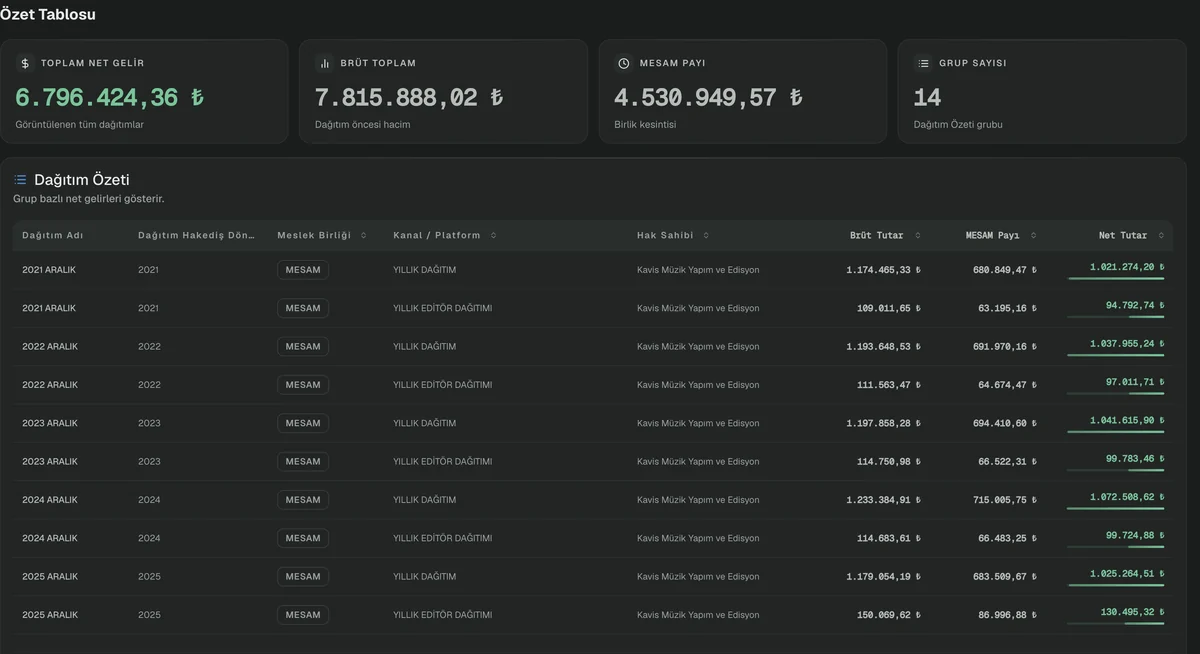
From a demo environment prepared with sample data. Click to enlarge.
The problem it solves
Open a distribution file and you face dozens of columns and thousands of rows. Answering a single question — what did this work earn from which platforms last year — takes filter upon filter, and then the same filters have to be rebuilt on the next file.
The questions are not all of one kind either. Sometimes you want the aggregate — what did each period bring. Sometimes you need a single line — the exact record for this work in that period. And sometimes you want an intersection — everything that came through one society from one platform. MEDUSA Rights offers a separate view for each; all three read the same data.
How it works
Data is loaded once
Every distribution file is parsed and stored with period, work, artist and channel information. The same file cannot be uploaded twice.
Start with the summary table
Net income by group. What each period brought, how much the society deducted, where the gap between gross and net comes from — on one screen.
Drill into the detailed list
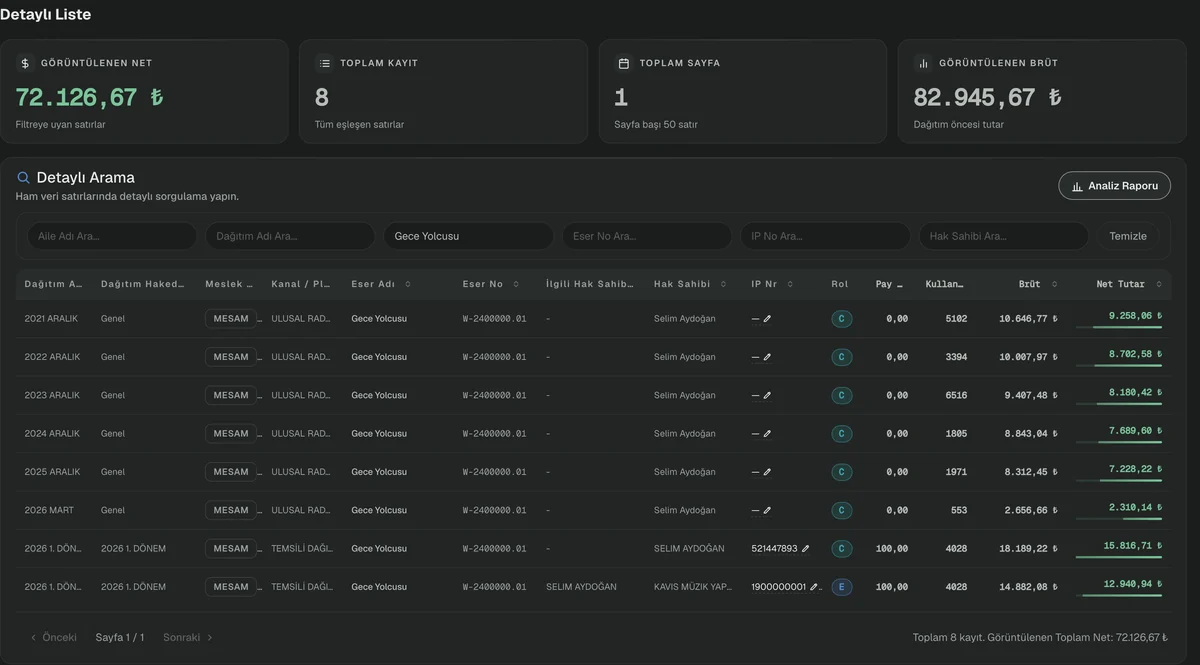
Query the raw data rows. Filter by work title, work number, IP number, rights holder or distribution name; the totals above recalculate instantly.
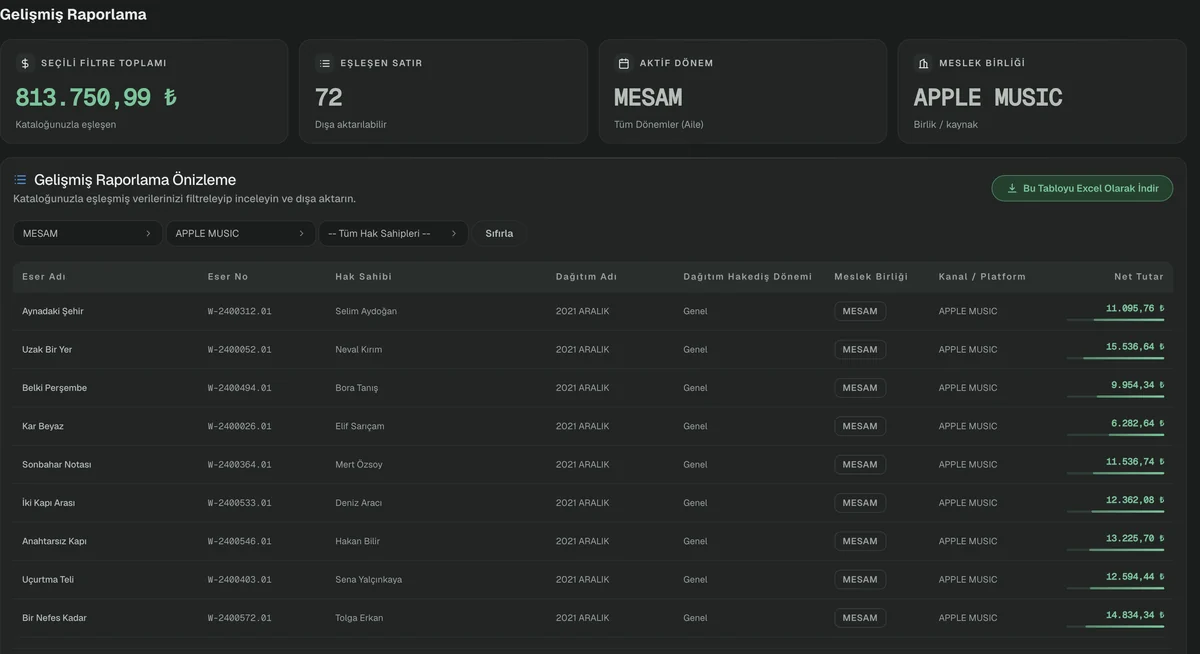
Take an intersection in advanced reporting
Combine society, channel and rights holder filters and see only data matched to your catalogue. Export the result to Excel with one button.
Detailed list — down to the line
Type a work title into the filter and the table narrows while the four cards above recalculate: net displayed, total records, page count and gross displayed. In the screen below a title filter is applied — eight records, the entire history of a single work spread across six years.
From a demo environment prepared with sample data. Click to enlarge.
Advanced reporting — the intersection
Society, channel and rights holder filters combine, and the result consists only of rows matched to your catalogue. The total for the selected filter and how many rows it covers sit at the top; the table exports to Excel with one button.
From a demo environment prepared with sample data. Click to enlarge.
Smart search — one work, x-rayed
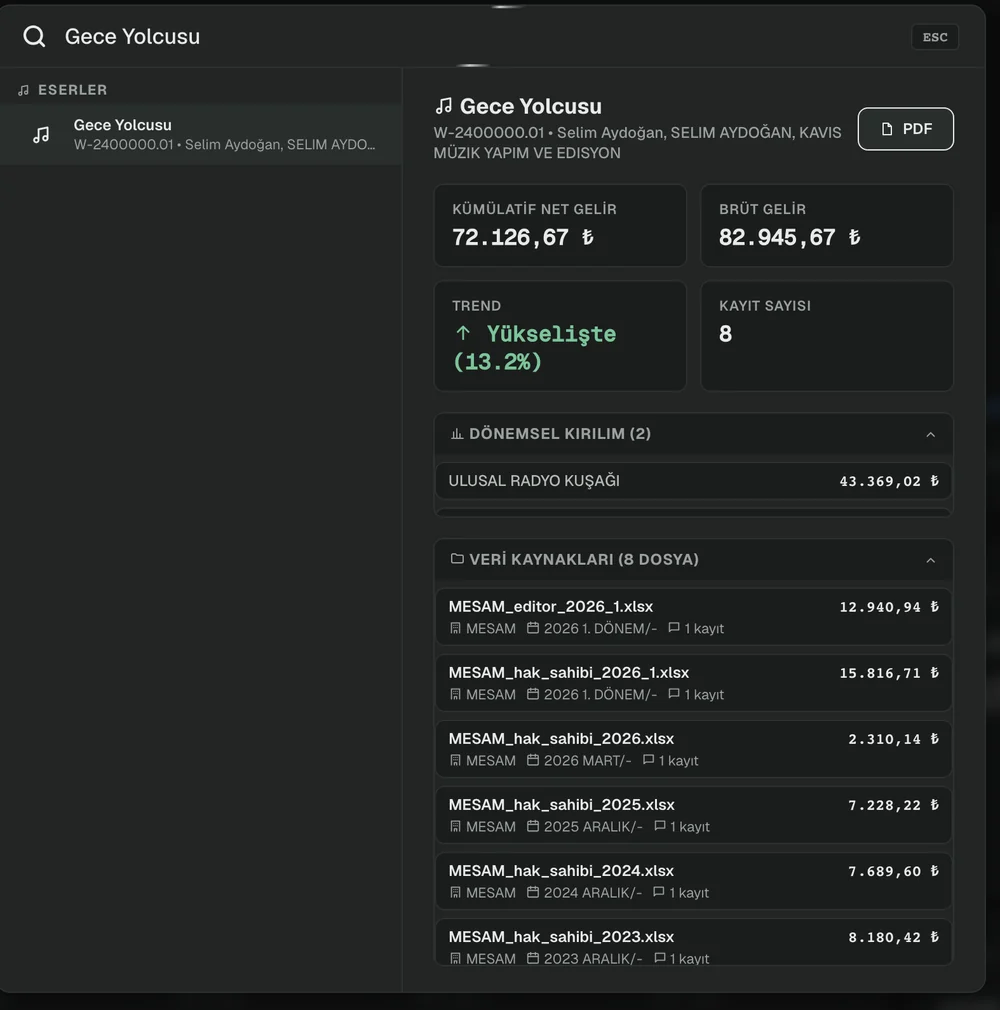
Without navigating any menu, type a work title into the search box at the top. The panel that opens shows that work’s cumulative net income, gross income, trend and record count; below it, a period breakdown showing which platform brought what, and a source list revealing line by line which file the data came from.
From a demo environment prepared with sample data. Click to enlarge.
Input and output
WHAT YOU PROVIDE
- Distribution files held in the system
- Catalogue and contract information
WHAT YOU GET
- Summary table by period and group
- Raw row query and filtered view
- Intersection report matched to your catalogue
- Income history, trend and platform breakdown per work
- Which data came from which file
- Excel and PDF export
What it does not do
Knowing the limits of a tool matters as much as knowing its capabilities.
- It does not integrate with accounting and does not produce invoices or payout statements.
- It is not a report designer; it filters and exports the views that exist.
- Screens showing financial data require a separate permission, granted alongside the role.
See reporting on a live system.
In a half-hour call we can run it on your own catalogue.